How to put your product photo in a new scene without a photographer
There are three ways: reshoot the product in a styled setting at home, cut it out and place it on a background in a design app, or use an AI editor that keeps your product and redraws the scene around it. Reshooting is the most accurate and the slowest. AI is the fastest, but check every detail against the real item, and on Etsy keep at least one unedited photo in the listing.
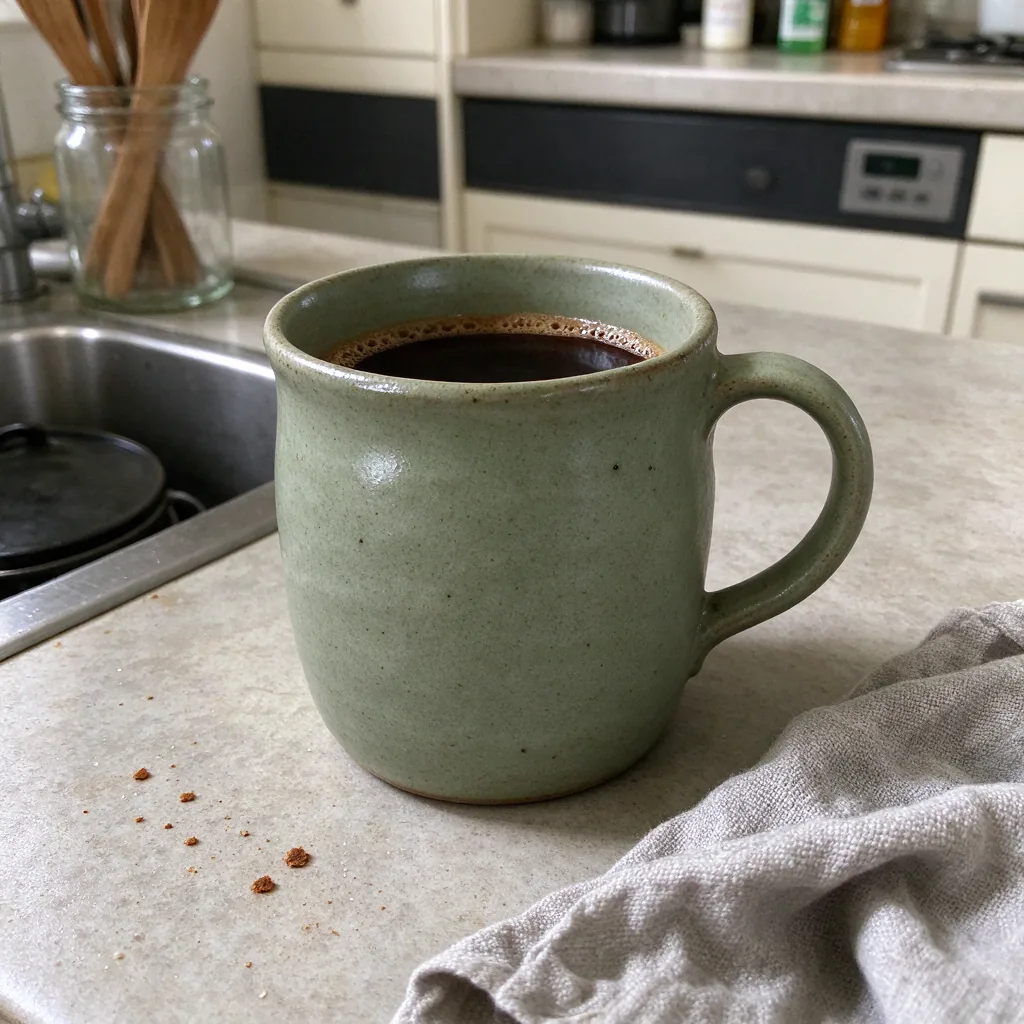 Phone photo
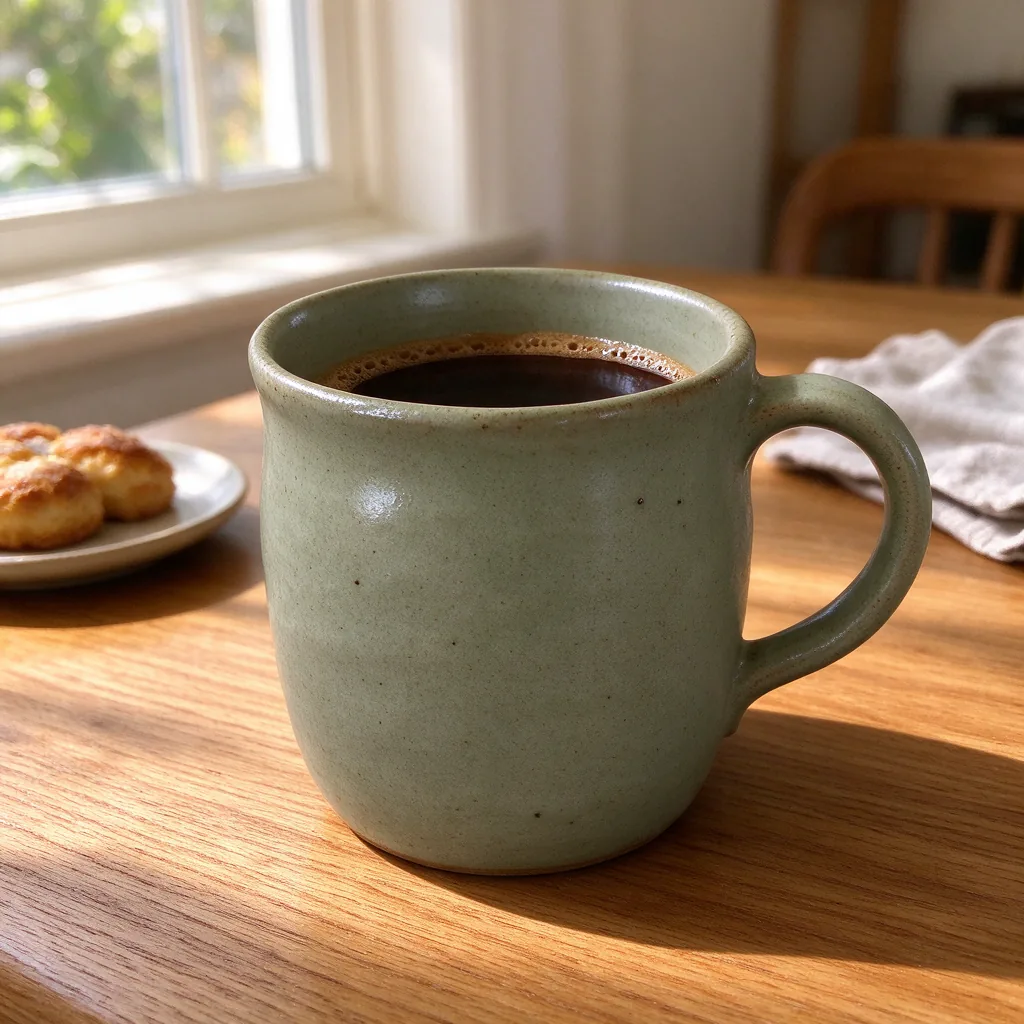 New scene
Start with one good source photo
Every method is only as good as the photo you start from:
- Use daylight. Stand near a window, switch off yellow ceiling lights and skip the flash.
- Keep it plain. A clear table or a sheet of paper behind the product gives the cleanest edges.
- Show the whole product. Nothing cropped off, in focus, filling most of the frame.
- Pick the angle now. A new scene is built around the angle you shot, so photograph it the way shoppers should see it.
Two ways to do it
Without AI
Reshoot in a real setting. A kitchen table or shelf by a window, one or two props from home, 20 photos from the same angle. Keep the sharpest.
Or cut out and compose. Remove the background with any remover, for example our free white background tool, then place the cut-out on a background photo in a design app. Match the light direction and add a soft shadow, or it looks pasted on.
With Stilllight: free preview first
- Upload one product photoOpen stilllightai.com/ai-product-photography and add one clear photo of a single product. No account is needed.
- Pick one of 3 suggested scenesAI names your product and suggests 3 scenes made for it in about 5 seconds, or you describe your own setting in a few words.
- Check the free previewA free 512 px watermarked preview of your product in that scene appears in about 15 seconds. You can make 2 previews a day without an account.
- Get it full sizePress “Get my HD photo — free”. The studio makes the full-size image right away with 3 free credits, no sign-up or card, using 2 of them. Sign up free with Google or email to download it without the watermark.
- Sign up free to download itAn image made before you sign up carries a small watermark. Sign up free and it downloads without the watermark. For more images and commercial use, a one-time $4.90 pack has 60 credits (30 images) if it is your first pack within 48 hours of sign-up, otherwise 40 (20 images).
The default model, Seedream 5.0 Flash, uses 2 credits per image. Failed generations refund their credits automatically, and the exact cost is shown before you generate.
When an AI scene is fine, and when a real photo is better
An AI scene works well for
- Simple, solid products: mugs, candles, boxes, cosmetics, plush toys, bottles with a large label.
- Lifestyle and seasonal photos 2 to 5 in a listing, around an accurate main image.
- Trying out scenes before you spend an afternoon on a reshoot.
- Supplier photos you have permission to edit, so your store stops looking like every other store.
A real photo is better for
- Fine print, small logos and detailed labels: AI can change text.
- Jewelry with small stones or chains, and glass and shiny products.
- Fabric, where the exact colour and texture decide the sale.
- Scale and size photos, where proportions must be exact.
- Your one unedited photo on Etsy.
Marketplace rules to know
From our guide to AI photo rules on Etsy and Amazon, checked 23 October 2026 with links to the official pages:
- Etsy: every listing must include at least one unedited photo of the actual item against a real background. Other photos can be edited, including with AI, for lighting, colour, cropping or backgrounds, but not to hide flaws or make the item look different. Etsy asks you to note AI edits in the description, for example “Some photos edited with AI to change the background.”
- Amazon: the main image needs a pure white background (RGB 255, 255, 255), the product filling about 85–100% of the frame, and no text, logos, watermarks or extra props. A scene belongs in the additional images; make the main image with the free white background tool or see the Amazon main image requirements.
- Everywhere: props in a scene should not look included. Say in the description exactly what the buyer receives.
This is a summary, not legal advice. Platform rules change; check the official pages before you publish.
Check before you list
- Compare with the real product: shape, colour, label, printed text and proportions.
- Zoom in on edges at full size: handles, rims, straps and thin parts.
- Check the scale next to the props.
- Keep your original photo for Etsy’s unedited-photo rule.
Questions
Can I put my product photo in a new background for free?
Yes. Stilllight’s AI product photography tool shows your own photo in a new scene as a free 512 px watermarked preview, 2 a day, with no sign-up. If you only need plain white, the free white background tool runs in your browser with no watermark: 3 photos a day with no sign-up, unlimited with a free account.
Do I need a photographer for lifestyle product photos?
Not for most simple products. A clear phone photo in daylight, plus a home reshoot or an AI editor, covers lifestyle and seasonal shots. A photographer is still worth it for detailed jewelry, glass, clothing on a model or a brand campaign.
Can I use AI-edited product photos on Etsy?
Yes, with conditions. Etsy requires at least one unedited photo of the actual item against a real background, allows AI edits such as a new background as long as they do not hide flaws or change how the item looks, and asks you to mention AI edits in the listing description.
How much does a full-size AI scene cost on Stilllight?
Your first full-size image is free: 3 free credits with no sign-up, and one image with the default model uses 2. Sign up free to download it without the watermark. More images cost $4.90 one-time: 60 credits (30 images) if it is your first pack within 48 hours of sign-up, otherwise 40 credits (20 images). There is no subscription.
Will the AI change my product?
It is told to keep your product identical, but it can still change fine print, logos, stitching or small parts. Compare every image with the real item and use a real photo wherever a detail drifted.