AI product photos without a subscription: pay-once options compared (2026)
Yes, you can make AI product photos without a monthly plan. Stilllight sells one-time credit packs that never expire (from $4.90), and Claid lists credit packs valid for 12 months next to its plans. Photoroom, Pixelcut and Pebblely sell subscriptions; Photoroom and Pixelcut also have a free plan. Paying once usually suits sellers who list a few products a month. If you edit hundreds of photos, a subscription is often better value.
Try it free on your product photo
Only need a white background? Use the free tool
Prices are in US dollars as shown on each vendor’s own page on the date above. Please check the latest pricing before you buy.
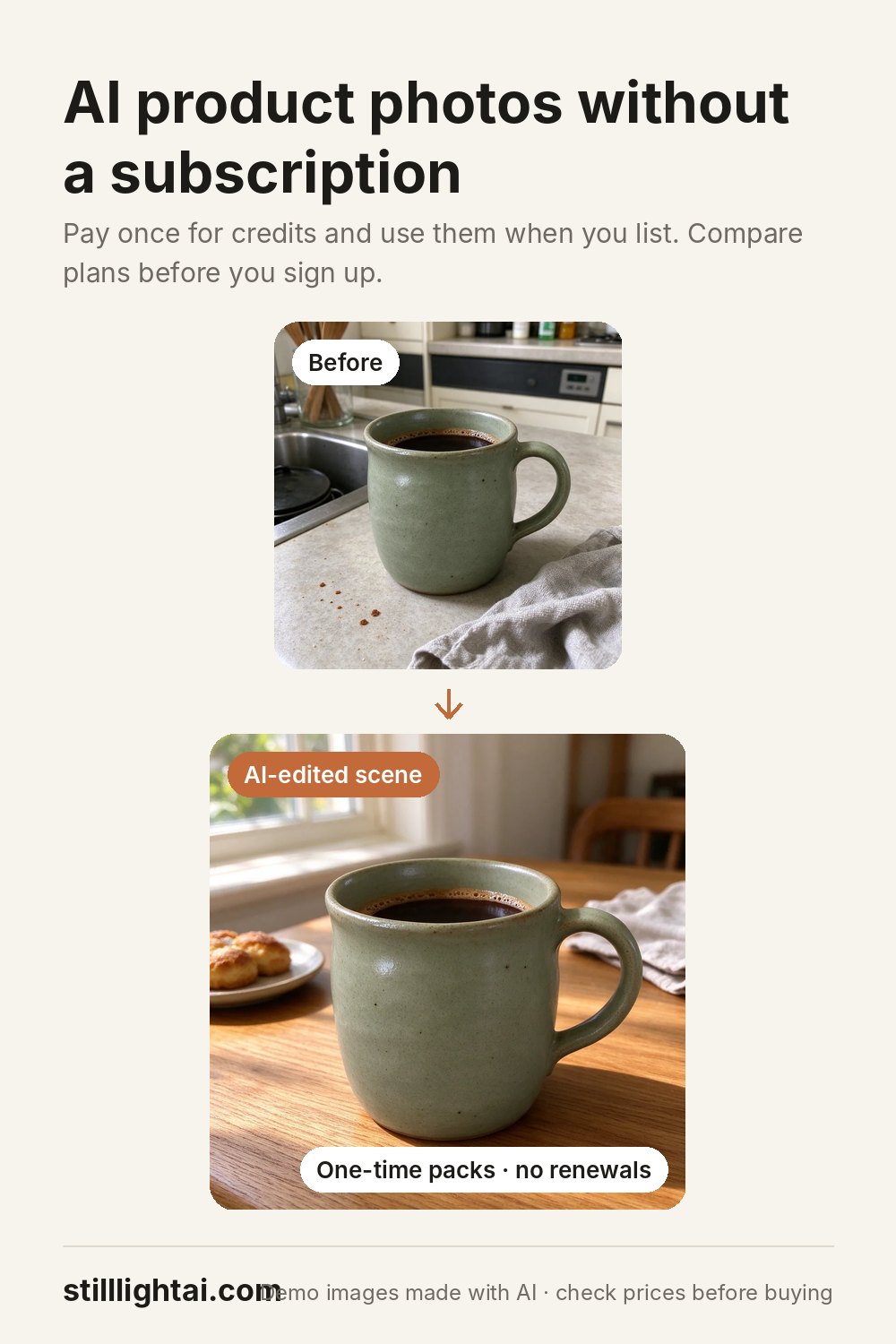
 Before
 AI-edited scene
Pay-once and subscription tools compared
| Tool | Free option | Pricing model | Prices we could verify |
|---|---|---|---|
| Stilllight AI editor | Free 512 px preview, no sign-up; 3 free credits in the studio, no sign-up (one watermarked image; a free sign-up downloads it clean; personal use) | One-time packs; optional monthly plans | First pack $4.90 for 60 credits (within 48 hours of sign-up); $4.90 for 40, $16.90 for 200, $39.90 for 600. 2 credits per Flash image |
| Stilllight free white background tool | 3 photos a day with no sign-up, unlimited with a free account; no watermark | Free | $0 |
| Claid.ai | Trial with 50 credits and 5 image uploads | Monthly plans plus credit packs | Essential $15/month (500 credits), Pro $49/month (2,000). Packs: 500 for $18, 2,000 for $60, 8,000 for $200, valid 12 months |
| Pixelcut | Free plan; exports without watermark; limited background removal | Subscription | Pro $8/month billed yearly (600 AI credits a month); Business $24/month billed yearly |
| Photoroom | Free plan with limited features, credits and exports; 7-day trial on yearly Pro and Max | Subscription (Pro, Max, Ultra) | Not shown on the pricing page we loaded; check in the app |
| Pebblely | No free plan listed | Subscription | Lite $9/month (30 images), Basic $19 (200), Pro $39 (500); yearly $179 or $379 |
Credits are not comparable between tools: each one charges a different number per image or edit. Claid lists its packs as add-ons, so check in your account whether they need an active plan.
What to check before you pay once
- Expiry. Do the credits expire? Stilllight pack credits do not; Claid packs last 12 months.
- Watermark. Are free or trial images watermarked, and what removes it?
- Commercial use. Can you use the images in your listings and ads?
- Cost per image. How many credits does one finished photo use, and are failed attempts refunded?
- Renewal. If you do subscribe, set a reminder to cancel before it renews.
Stilllight’s pricing, in full
- No subscription required. One-time credit packs; pack credits do not expire.
- First pack: 60 credits (30 Flash images) for $4.90 if it is your first purchase within 48 hours of sign-up.
- Standard packs: 40 credits for $4.90, 200 for $16.90, 600 for $39.90.
- Credits per image: 2 with Seedream 5.0 Flash, the default; 4 to 6 with Seedream 5.0 Pro. The cost is shown before you generate, and failed generations are refunded.
- Free credits: 3 in the studio with no sign-up or card, enough for one Flash image. It is watermarked until a free sign-up. Free-credit images are for personal use; images made after buying a pack include commercial use (see the terms & image license).
- Free tool: the white background tool runs in your browser with no watermark: 3 photos a day with no sign-up, unlimited with a free account.
Monthly plans also exist (Starter $8, Creator $18, Studio $38): about 20¢, 18¢ and 15¢ per Flash image, against 25¢, 17¢ and 13¢ with the $4.90, $16.90 and $39.90 packs. To try a scene on your own product, open the AI studio.
When a subscription is better value
Be honest about your volume. Pebblely Pro is $39 for 500 images a month, about 8 cents an image if you use them all. Stilllight’s largest pack is $39.90 for 600 credits, 300 Flash images or about 13 cents each. If you edit dozens of photos every week, a subscription with batch tools will usually cost less and save time. If you list a handful of new products a month, or only refresh photos for the holidays, paying once avoids paying for months you do not use.
Questions
Can I make AI product photos without a subscription?
Yes. Stilllight sells one-time credit packs that do not expire, and Claid lists credit packs valid for 12 months. Photoroom, Pixelcut and Pebblely sell subscriptions. Prices change, so check each vendor’s pricing page before you buy.
Is a subscription ever cheaper?
Yes, if you use most of the allowance every month. Pebblely Pro is $39 for 500 images a month, about 8 cents an image, while Stilllight’s largest pack is $39.90 for 600 credits, 300 Flash images or about 13 cents each.
Do Stilllight free credits add a watermark?
Only before you sign up. The 3 free credits in the studio need no account and make one full-size image with a small watermark; after a free sign-up it downloads without the watermark, and images in your account are never watermarked. Free-credit images are for personal use. The free white background tool never adds a watermark.
Sources
- Pebblely pricing and Pebblely FAQ
- Photoroom pricing and Photoroom Help: Is a free trial available?
- Pixelcut pricing
- Claid Help: How Claid credits work (updated 26 Jan 2026) and Do you have a free trial? (updated 17 Jul 2024)
All checked on 31 October 2026 on each vendor’s own pages. We left out any figure we could not confirm there. More comparisons: Photoroom alternatives and Pebblely alternatives.
Try it free on your product photo
Only need a white background? Use the free tool
Save this guide for later