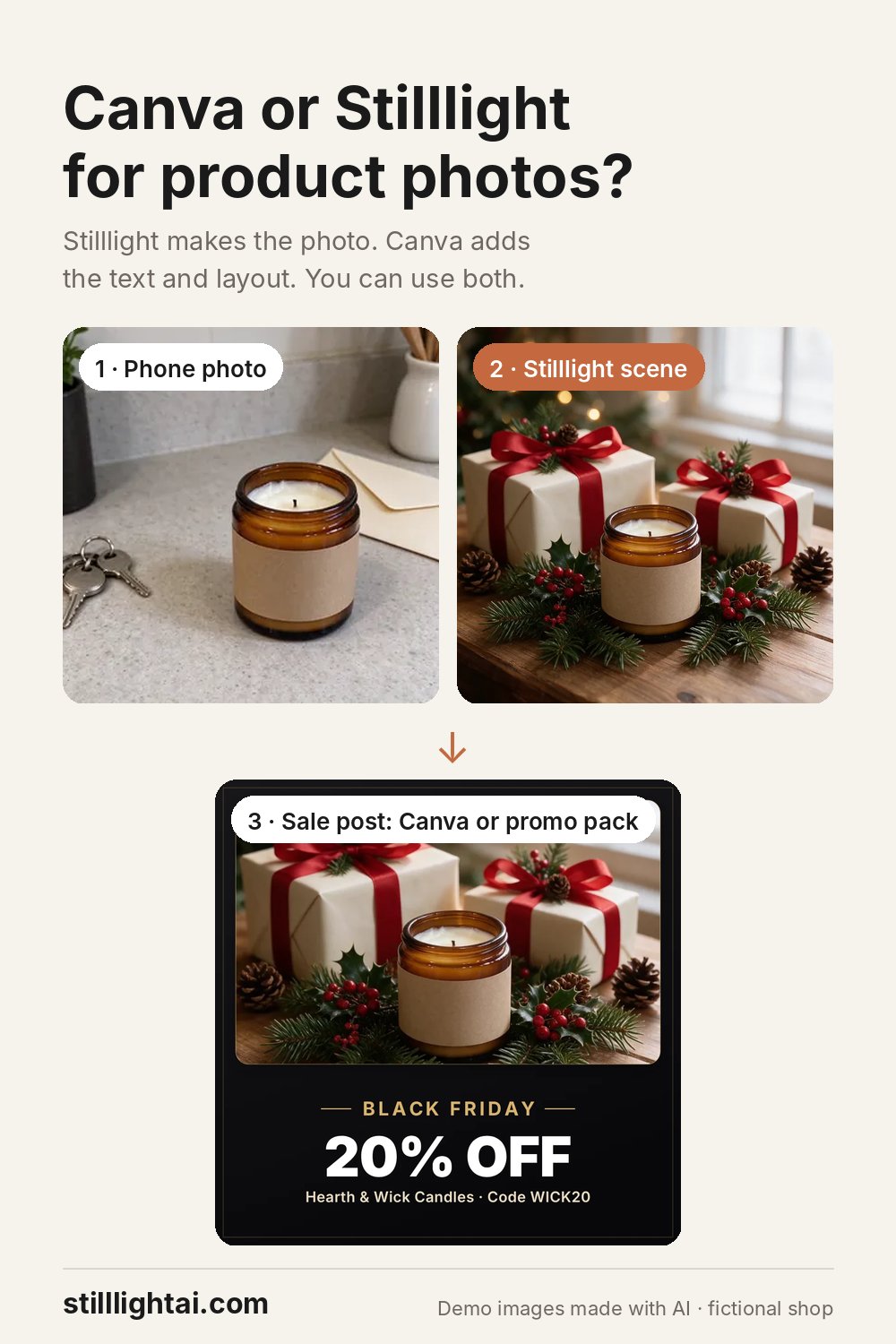
Canva vs Stilllight for product photos: which to use for what
Use Stilllight to turn one phone photo of your candle or jewelry into realistic scene shots and white backgrounds; use Canva to put text, templates and your brand layout on top for Instagram, Pinterest and shop banners. Canva’s one-click Background Remover needs a paid plan (Canva Pro is $12.99 a month or $119.99 a year for up to 5 people on Canva’s US Pro page, checked 4 November 2026). Stilllight has no subscription: a free preview, then credit packs from $4.90. You can use both.
Try it free on your product photo
Only need a white background? Use the free tool
Facts from each company’s own pages. Prices vary by country and change.
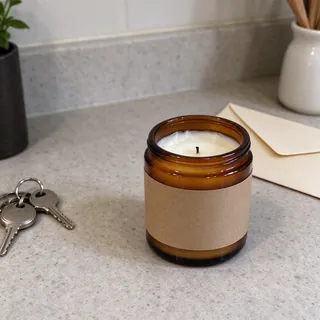 Phone photo
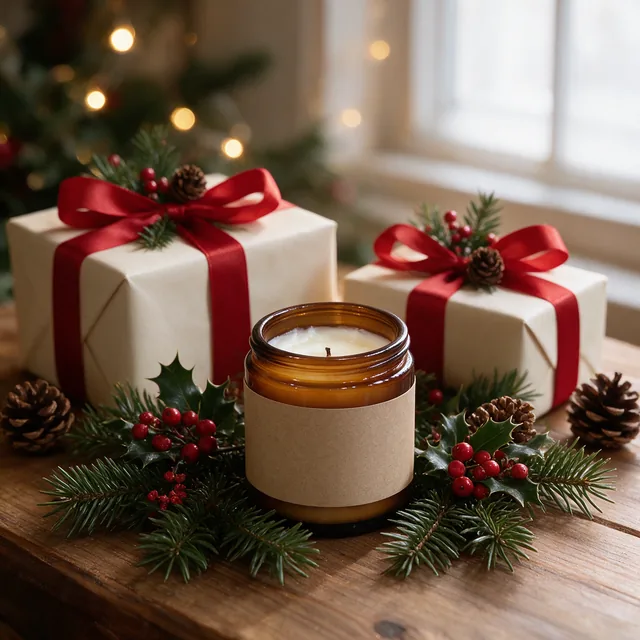 AI scene
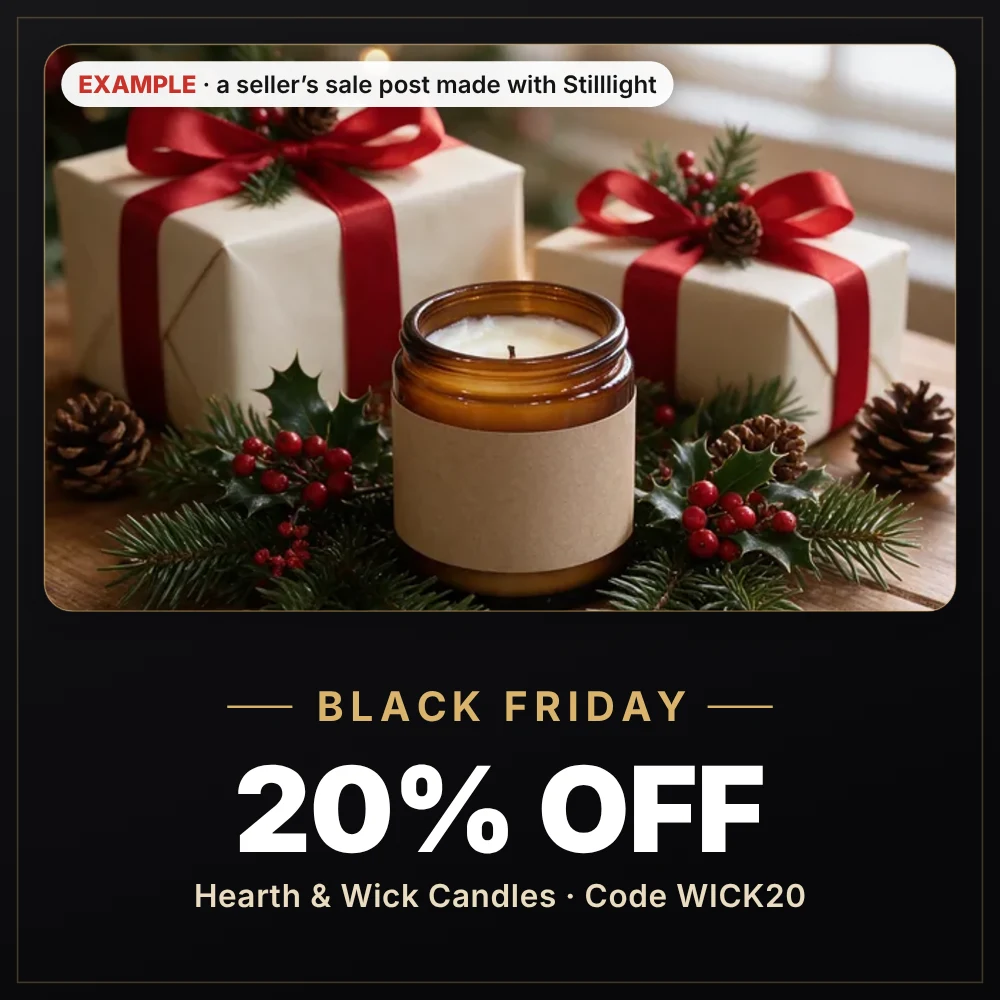 Post + text
Quick comparison
| Canva | Stilllight | |
|---|---|---|
| Built for | Designing posts, flyers, banners and videos from templates | Product photos only, from one phone photo |
| Background removal | Background Remover, on paid plans; photos under 9 MB | Free white background tool in your browser, no watermark: 3 photos a day with no sign-up, unlimited with a free account |
| New scene behind the product | Background Generator in the Photo Editor: you write the scene prompt | AI suggests 3 scenes for your product, or you describe your own |
| Text and templates | Its main strength: a large template library, fonts, Magic Resize | Only the promo pack: your sale text on 5 fixed sizes, no credits |
| Price | Free plan; Pro $12.99/month or $119.99/year (US) | No subscription; packs from $4.90; credits do not expire |
| Free use | Free plan: up to 20 uses of AI tools a month; Background Remover not included | Scene preview free, 512 px, watermarked, 2 a day; 3 free credits after sign-up |
| AI limits on paid plan | Pro: standard AI tools without a monthly count; up to 200 uses of premium AI tools a month | Pay per image: 2 credits with Seedream 5.0 Flash |
Canva figures from its Pro page and Help Center, checked 4 November 2026. Canva also sells Pro Lite in some countries and an AI Pass add-on.
When Canva is the better choice
- You need text on the image. Sale posts, scent cards, “new collection” banners: Canva’s templates and fonts are far richer than Stilllight’s.
- You already pay for Canva Pro. Its Background Remover and Background Generator may be enough for simple shots.
- One design in many sizes. Magic Resize turns one post into a Story, a pin and a banner.
- A small team. One Pro plan covers up to 5 people.
When Stilllight is the better choice
- You want a believable product scene, not a design. Upload a candle or a pair of earrings and Stilllight suggests 3 scenes made for that product, such as a side table, a linen dish or a gift box, and shows a free preview.
- You do not want another subscription. Pay once; credits do not expire. Ten new candles with 3 scenes each use 60 credits (Flash, 2 per image).
- You only need white backgrounds. The free tool runs in your browser and the photo never leaves your device.
Step by step: a candle listing with both tools
- Shoot one real photo. Window light, label sharp. On Etsy it stays in the listing, unedited.
- White background. Run it through the free tool for a clean thumbnail or Shopify featured image.
- Scene shots. Upload it to the studio and pick one of 3 suggested scenes.
- Full size. Sign up free; a Flash image uses 2 credits, refunded if it fails.
- Check details. Zoom in on the label, wax colour, wick and jar shape.
- Add text in Canva. Put the scene in a Canva template for Instagram or Pinterest. Keep text off marketplace photos.
Stilllight price and credit cost
| Option | Cost |
|---|---|
| Scene preview | Free, 512 px, watermarked, 2 a day |
| First full-size image | 3 free credits, no card; Flash uses 2 |
| Packs | First pack $4.90 for 60 credits (within 48 hours of sign-up); then $4.90 for 40, $16.90 for 200, $39.90 for 600 |
| Per image | 2 credits with Flash, 4–6 with Seedream 5.0 Pro |
| Promo pack text graphics | No credits; drawn in your browser |
Failed images are refunded. Images made after buying a pack include commercial use; free-credit images are for personal use (terms). More tools by price: AI product photos without a subscription.
Etsy sellers: one photo must stay unedited
Since 22 October 2026 most Etsy listings need at least one unedited photo of the real item on a real background. Neither a Canva edit nor a Stilllight scene can be that photo; use both only for extra photos that stay true to the item. Details: Etsy’s unedited photo rule.
What Stilllight is not good at
- Design and typography. No templates, no free text layout, no brand kit. Use Canva for that.
- Small text and logos can warp. Always zoom in.
- Exact colours of pastel wax, gemstones and metals can shift.
- Big catalogues: scenes are made one product at a time; only the white background tool has batch mode.
Questions
Is Canva good for product photos?
Canva is very good for adding text and templates to product photos. For new scenes, its Background Generator works from a prompt you write; Stilllight is built only for product scenes and suggests them for you.
Is Canva’s background remover free?
No. Canva’s Help Center says Background Remover is included with paid plans. Stilllight’s white background tool is free.
How much does Canva Pro cost?
Canva’s US Pro page lists $12.99 a month or $119.99 a year for up to 5 people (checked 4 November 2026). Prices vary by country.
Can I use Canva and Stilllight together?
Yes. Make the scene in Stilllight, download it, then add your text in a Canva template.
Sources
- Canva Pro (US price)
- Canva Help: Remove photo and video backgrounds
- Canva Help: Understanding your AI usage
- Canva: Photo background changer
- Canva Help: About Canva Pro Lite
- Etsy policy: Listing Image Requirements (22 Oct 2026)
Checked 4 November 2026. Canva is a trademark of Canva Pty Ltd; Stilllight is not affiliated with Canva. Check each platform’s latest plans and rules.
Try it free on your product photo
Only need a white background? Use the free tool
Save this guide for later