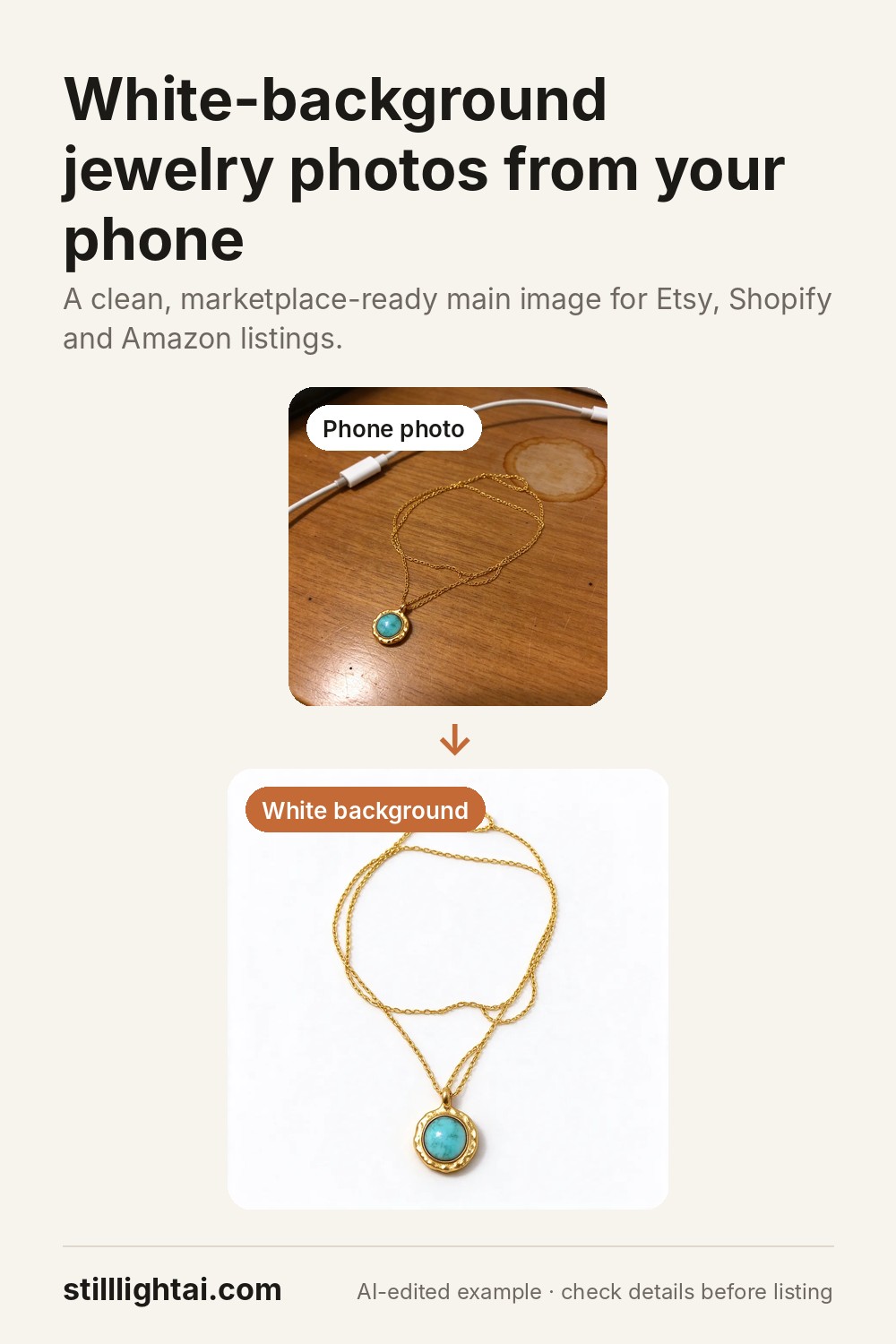
Jewelry photos that show the detail, from a phone snapshot.
Jewelry is small, shiny and hard to photograph: reflections, tangled chains and busy desks get in the way. Here is how to shoot a usable source photo and turn it into a clean listing image.
Try it with your product photo
3 free credits when you sign up, no card required. Paid credits start at $4.90 and include commercial use. The exact credit cost is shown before you generate.
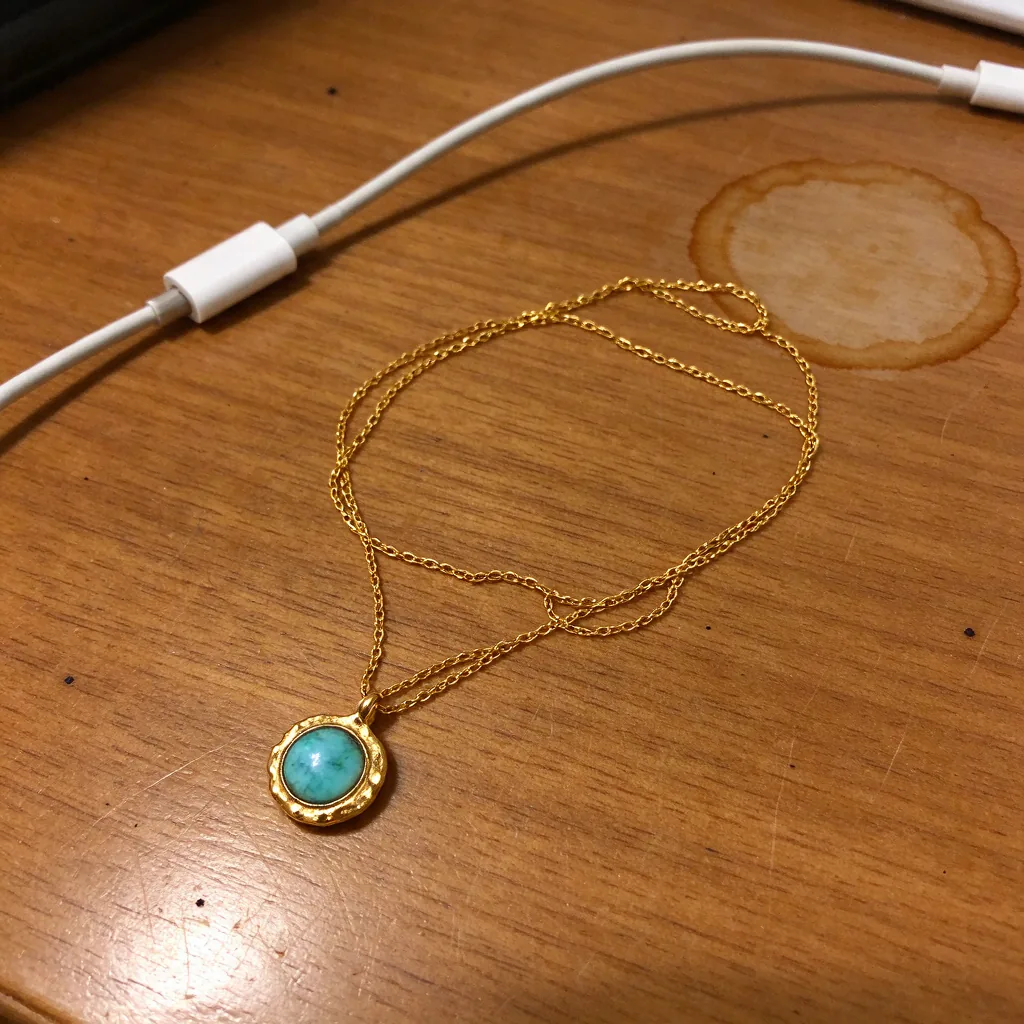 Before
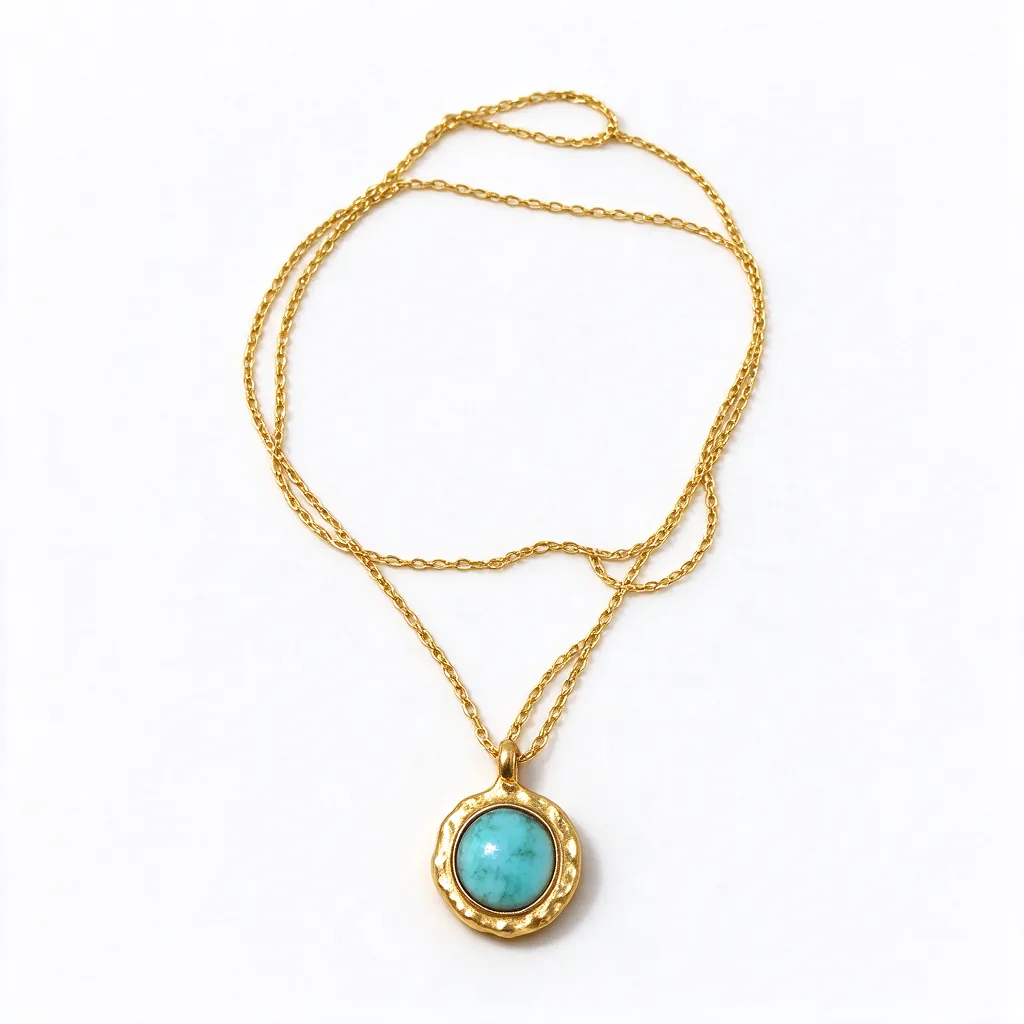 White background
Shooting jewelry with a phone
- Diffused light. Shoot near a window with a sheer curtain or on a cloudy day. Direct sun and lamps create hard glare on metal and stones.
- Get close, not zoomed. Move the phone closer instead of using digital zoom, and tap to focus on the stone or clasp.
- Untangle first. Lay chains straight; the editor can re-arrange a chain neatly, but the pendant itself should be clearly visible.
- One piece per photo. Sets and stacks are fine later, but start with a single piece for the cleanest result.
What to check after editing
Stones and colour
Compare the stone colour and cut with the real piece under daylight.
Metal finish
Gold, silver and rose gold tones can shift; adjust the instruction if the finish looks wrong.
Engraving and hallmarks
AI can blur or invent tiny text. Use a real close-up photo for engraving details.
Scale
Add a real on-body or in-hand photo so shoppers understand the size.
Ready-made instruction
Place this exact necklace neatly laid out on a clean white studio background for an online store listing, chain arranged in a soft curve with the pendant centred. Keep the jewellery identical: same chain, pendant shape, stone colour, metal finish and proportions. Soft even lighting with gentle highlights on the metal, a faint natural shadow. No extra objects, no added text or logos.
Try it with your product photo
3 free credits when you sign up, no card required. Paid credits start at $4.90 and include commercial use. The exact credit cost is shown before you generate.
Save this guide for later