We tested a free background remover on 20 product photos
We ran 20 product photos (mugs, bottles, bags, jewellery, glassware and more) through Stilllight's free white background tool with no manual fixes. 8 came out clean, 6 were usable after a quick check (a stand or reflection kept, a soft edge) and 6 failed. It works best on one solid product on a plain surface. It fails on thin chains, products worn on a body, shelves and displays with many items, and busy flat-lays. The tool's own warning flagged all 6 failures (plus 1 false alarm), so you know when to reshoot or use the AI editor instead.
Try it free on your product photo
Only need a white background? Use the free tool
Results at a glance
8 / 20 clean
Ready for a white main image after a quick look.
6 / 20 usable with a check
A stand, reflection or soft edge kept. Fine for many listings.
6 / 20 failed
Reshoot or use the AI editor.
6 of 6 failures flagged
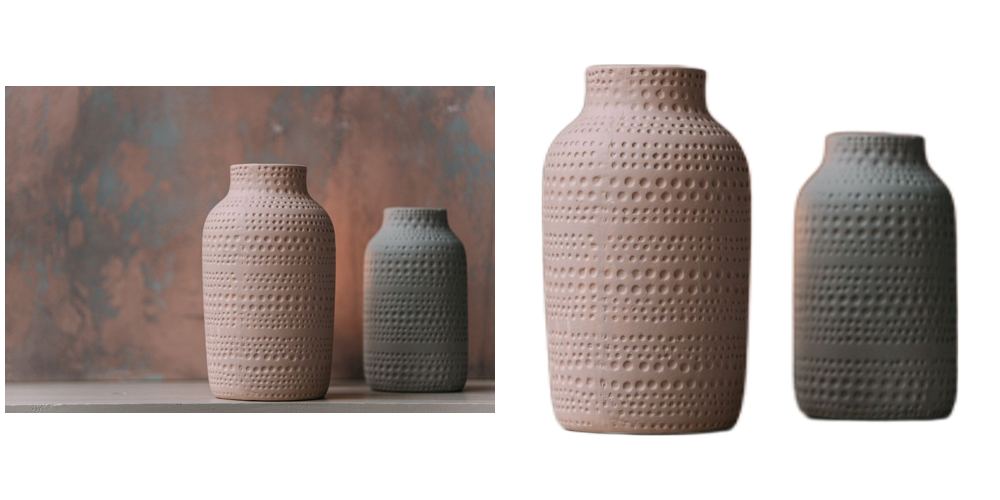
The tool warned on every failed photo (1 false alarm on a pair of vases).
How we tested
- Photos: 20 free stock photos from Pexels, one per product type, chosen to include easy and hard cases (busy backgrounds, glass, jewellery, displays, products on a wrist). Stock photos are cleaner than most phone snapshots, so real-world results may be a little worse.
- Tool: Stilllight's free white background tool as it runs in the browser today (the open U²-Net small model plus our main-object clean-up), exported as a 2000×2000 white image. No manual touch-ups.
- Grading: clean, usable after a check, or failed, judged by eye at full size.
- Not tested here: other tools such as remove.bg, Photoroom or Canva. We plan a side-by-side next.
Every photo and result
| Product | Result | Warning shown | Notes |
|---|---|---|---|
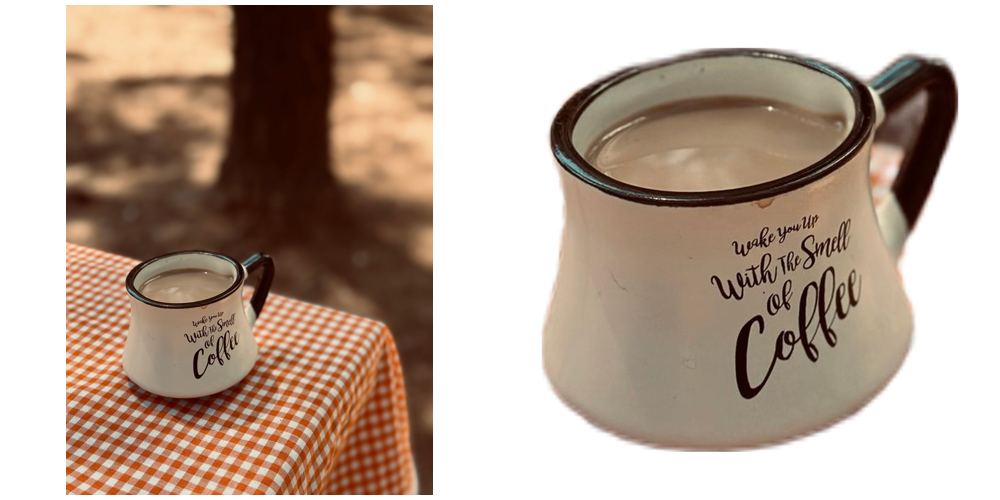
| Coffee mug on table | Usable, check | No | Soft edge along the handle. |
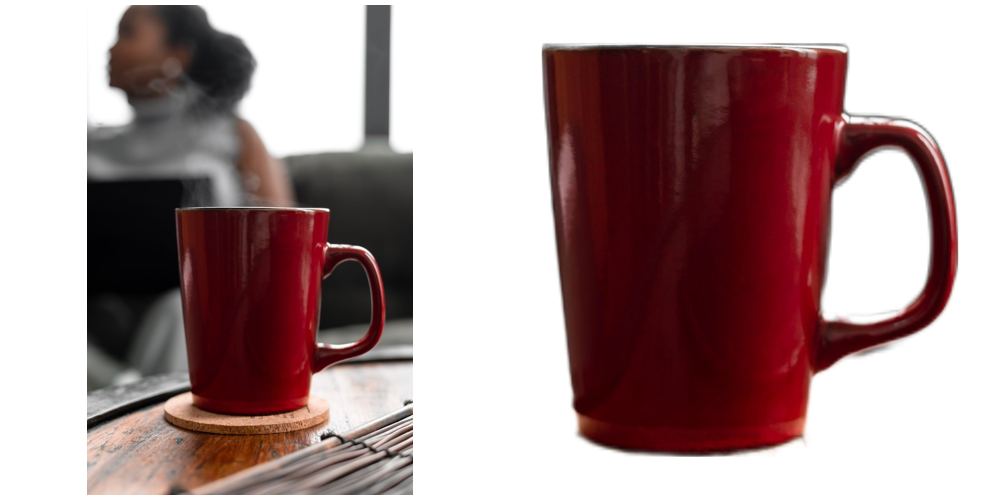
| Coffee mug on table | Clean | No | Clean cut-out, ready for a white main image. |
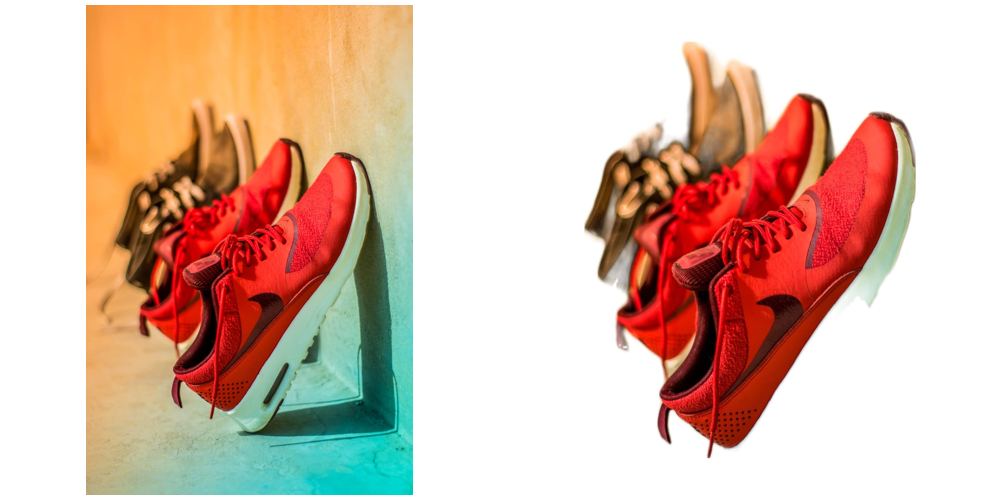
| Sneakers | Usable, check | No | Both shoes kept; fine for a pair. |
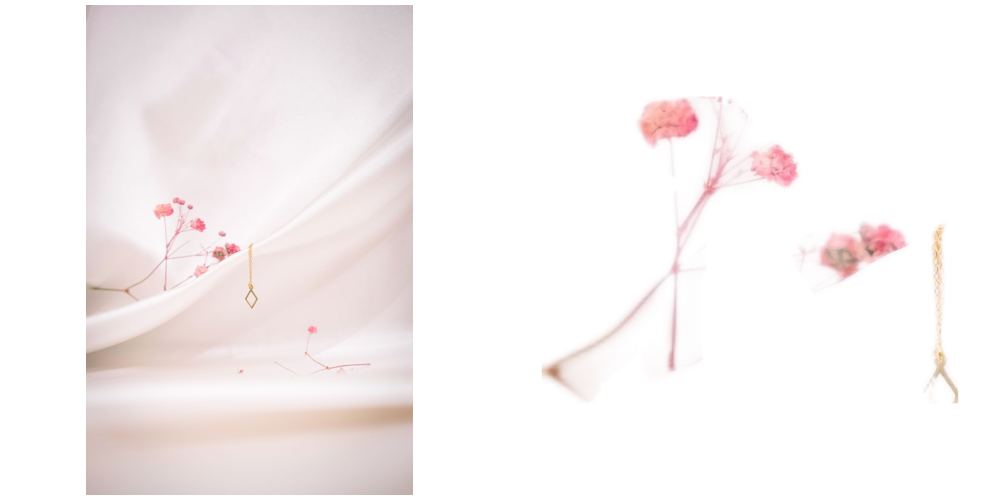
| Gold necklace | Failed | Yes | Thin chain lost; dried flowers kept instead. |
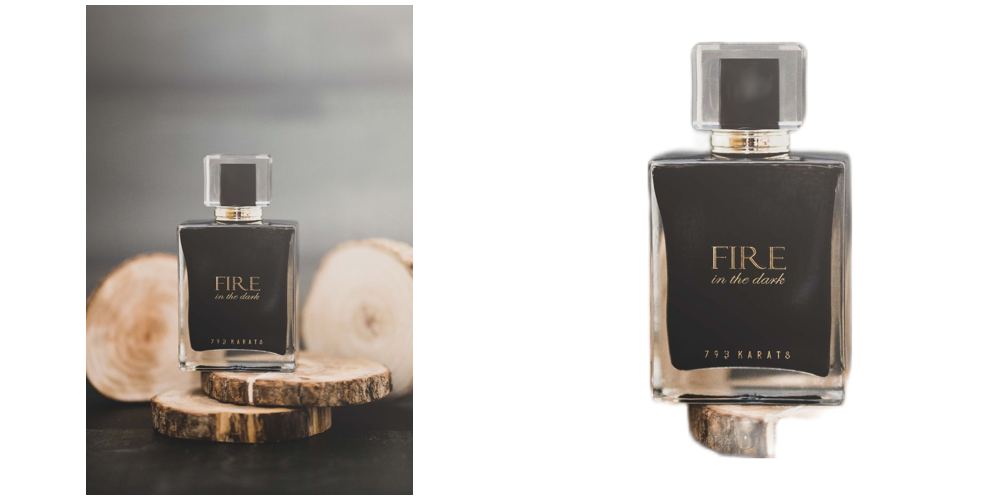
| Perfume bottle | Usable, check | No | The wooden stand is kept with the bottle. |
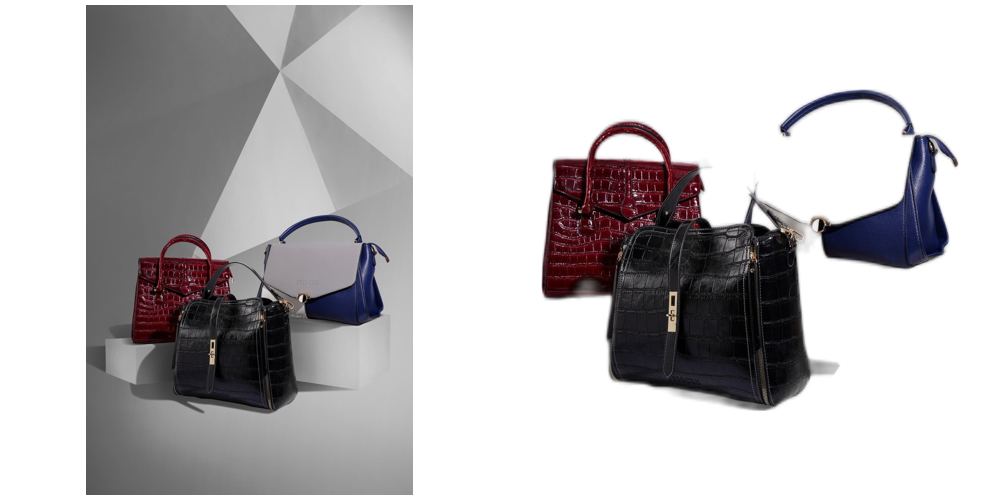
| Leather handbag | Clean | No | Clean cut-out, ready for a white main image. |
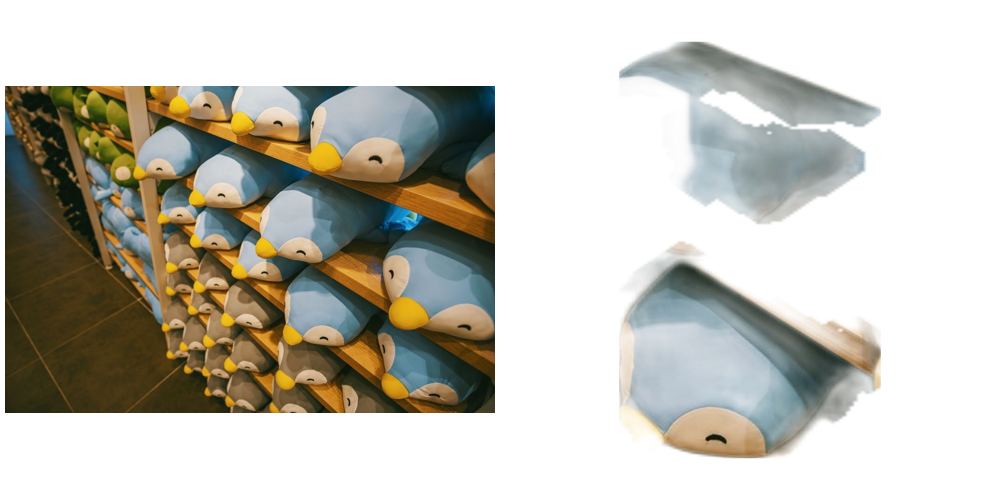
| Plush toy | Failed | Yes | Shelf of many toys: no single product to keep. |
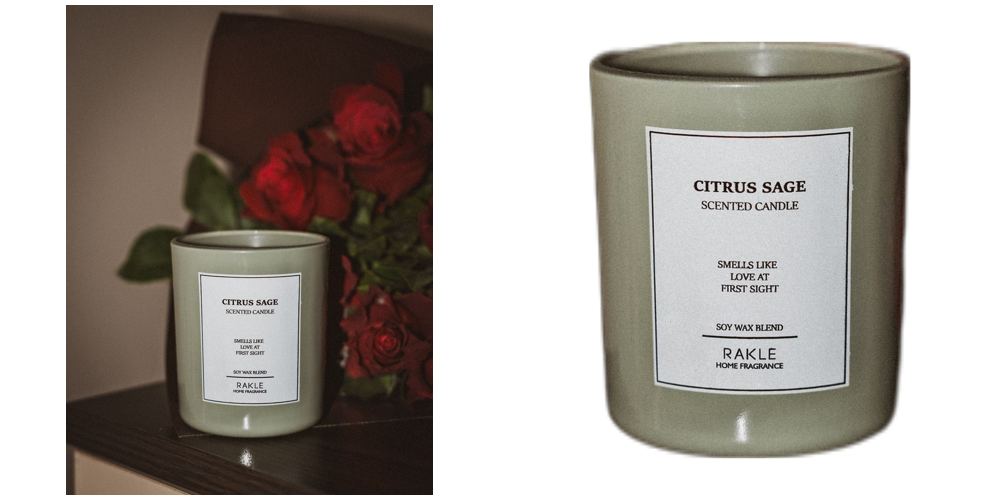
| Scented candle | Clean | No | Clean cut-out, ready for a white main image. |
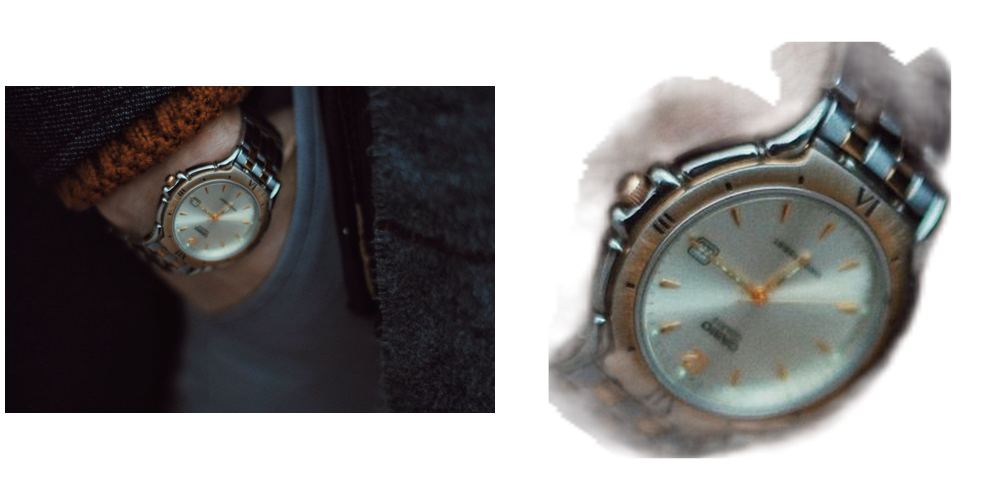
| Wristwatch | Failed | Yes | Watch on a wrist: the arm and sleeve confuse it. |
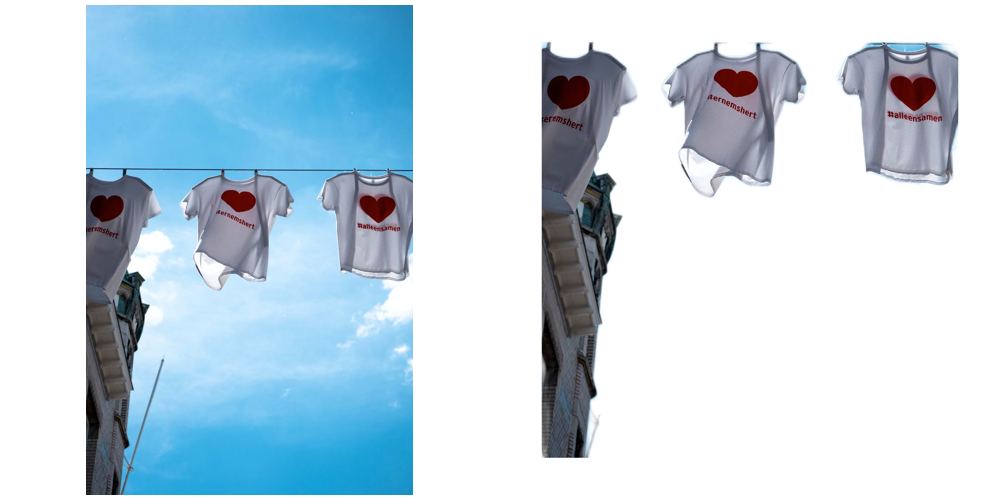
| T-shirt | Failed | Yes | Washing line with several shirts: one is cut off. |
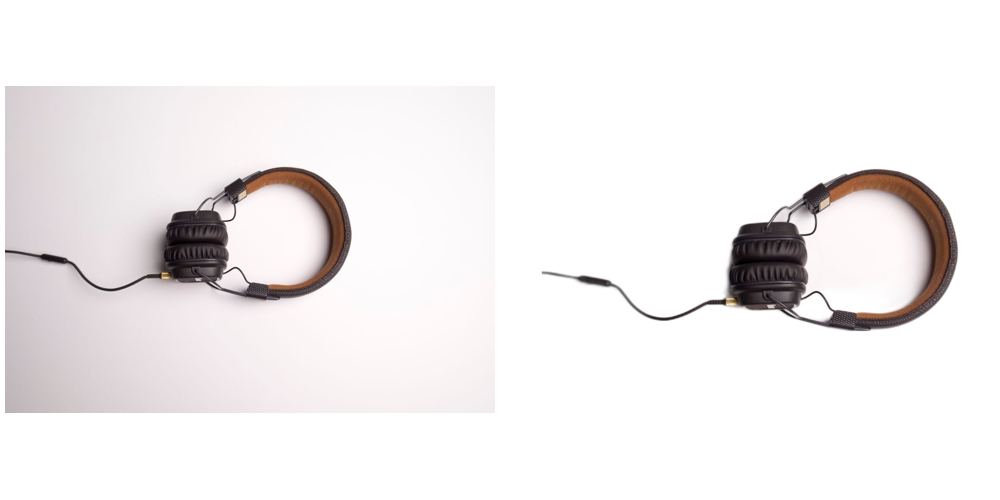
| Headphones | Clean | No | Clean cut-out, ready for a white main image. |
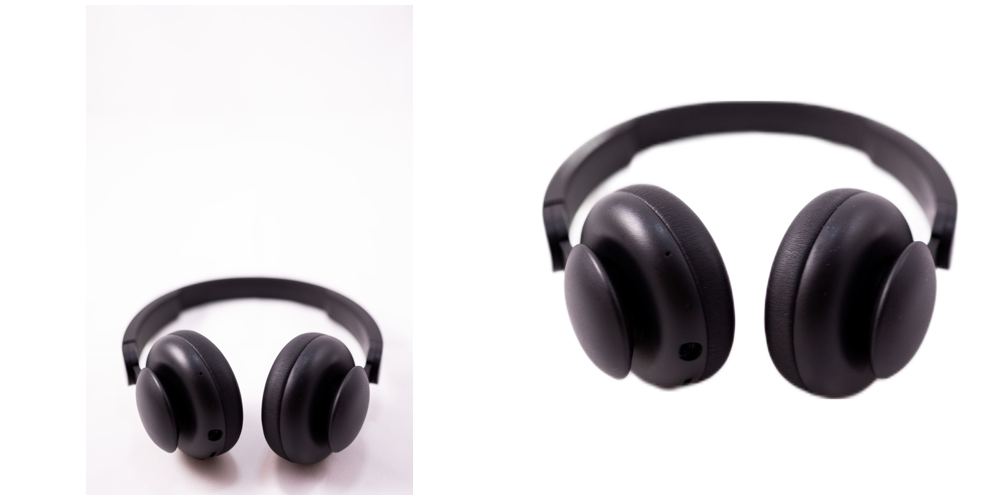
| Headphones | Clean | No | Clean cut-out, ready for a white main image. |
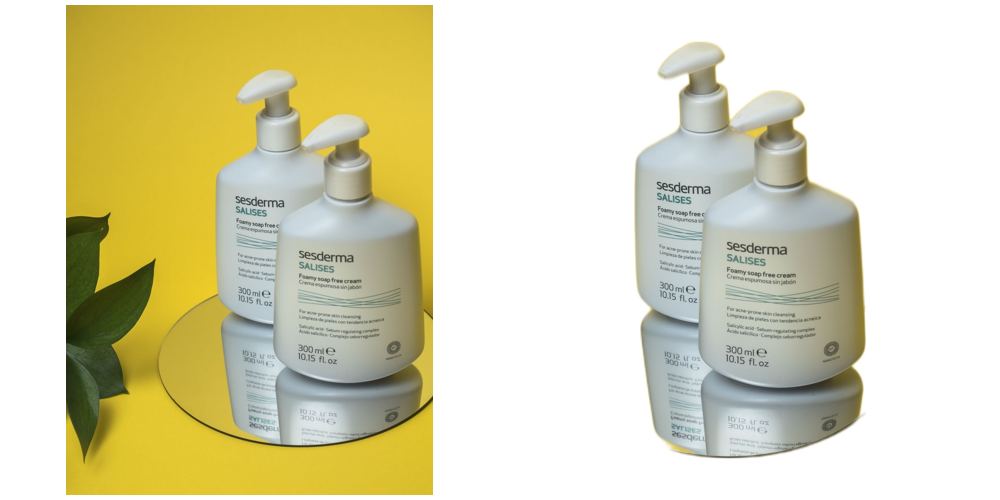
| Skincare bottle | Usable, check | No | The mirror reflection is kept under the bottles. |
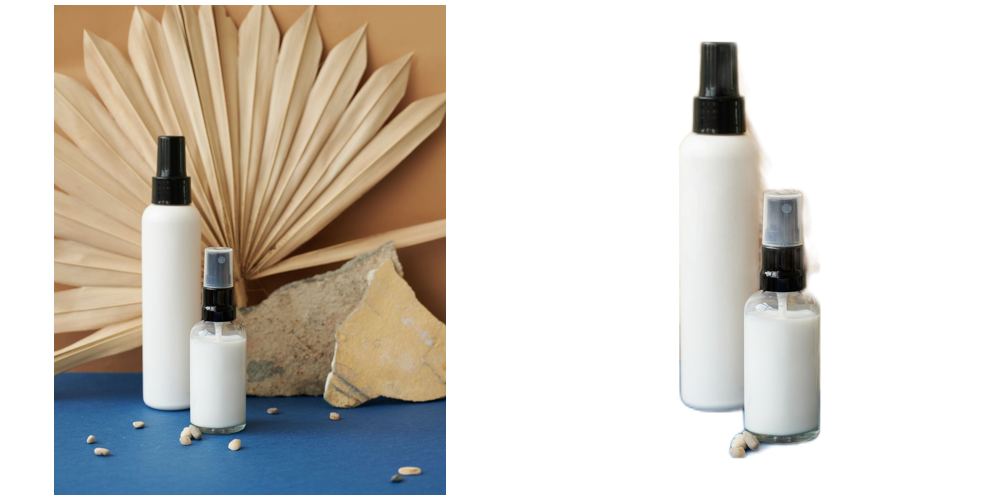
| Skincare bottle | Clean | No | Clean cut-out, ready for a white main image. |
| Ceramic vase | Clean | Yes | Clean cut-out, ready for a white main image. |
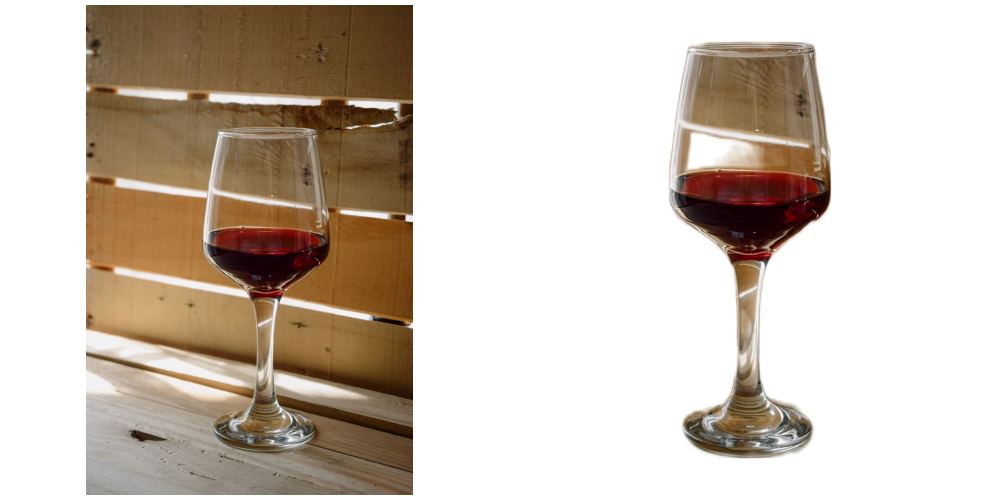
| Wine glass | Usable, check | No | Glass edges are slightly soft; check at 100%. |
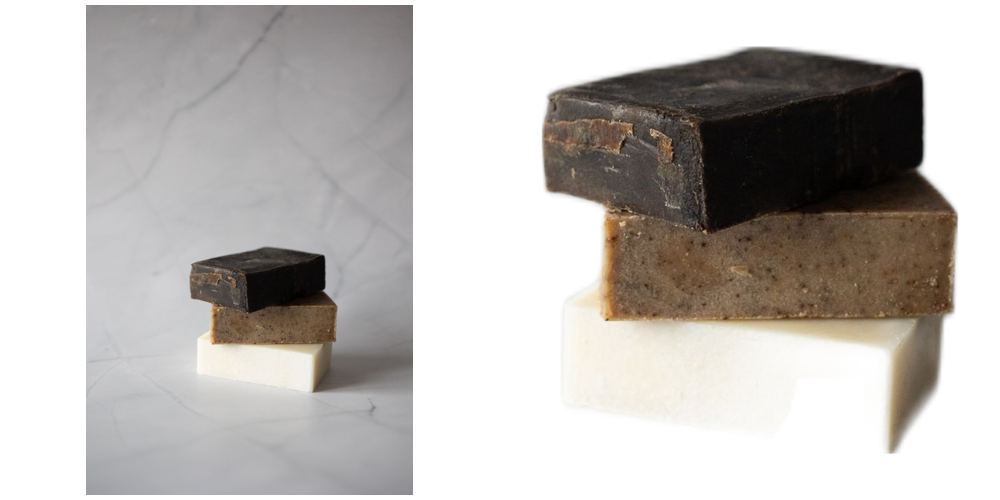
| Handmade soap | Clean | No | Clean cut-out, ready for a white main image. |
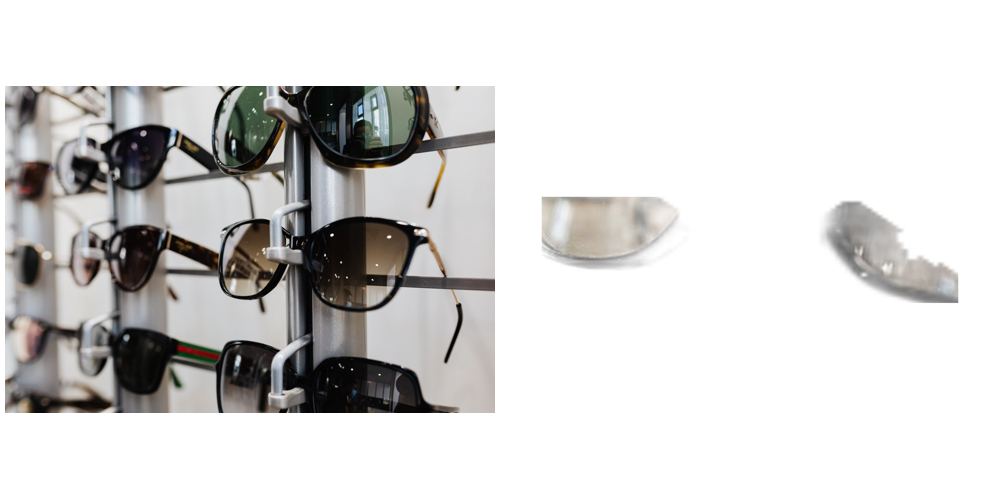
| Sunglasses | Failed | Yes | Display rack of sunglasses: frames lost. |
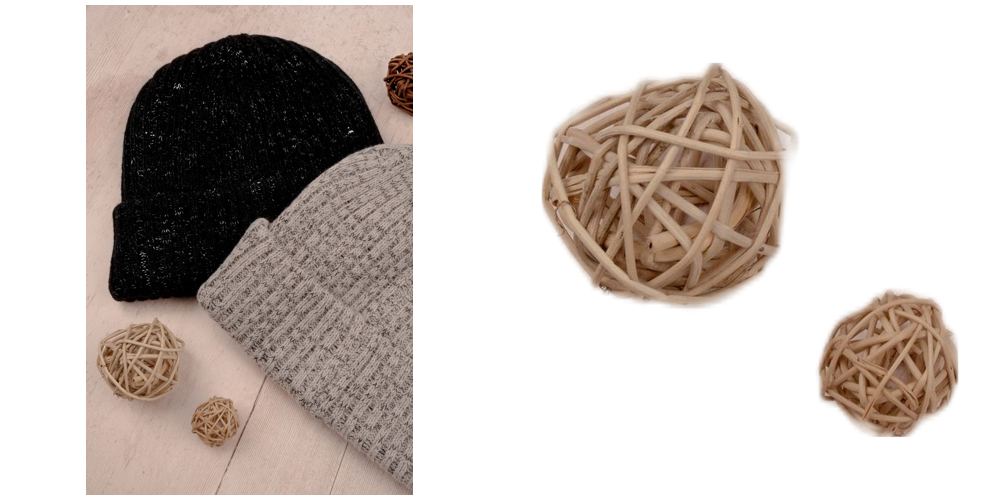
| Knitted hat | Failed | Yes | Kept the small rattan balls instead of the hats. |
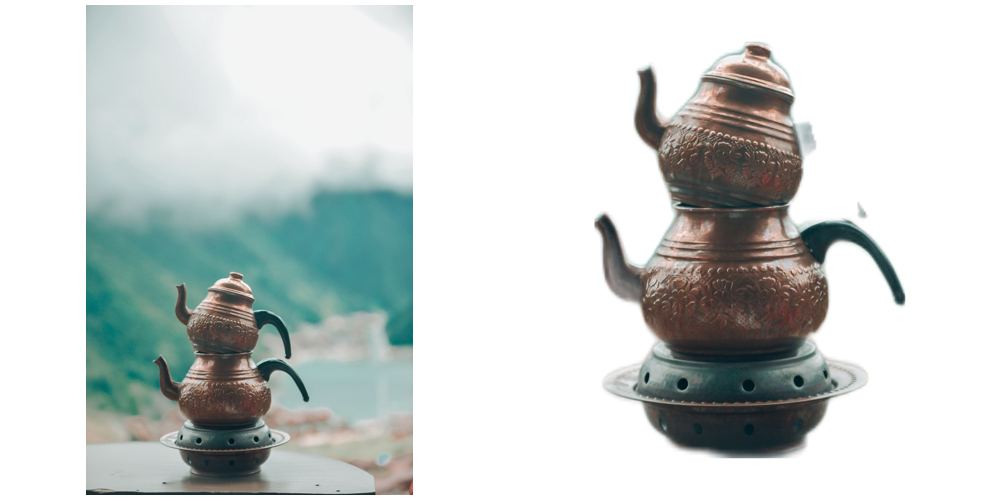
| Teapot | Usable, check | No | The base under the teapot is kept. |
Before and after
What we learned
- One product, plain surface wins. Mugs, bottles, candles, headphones, soaps and vases cut out cleanly.
- Stands and reflections stay. The tool keeps what touches the product, such as a wooden riser or mirror. Remove props before shooting if you want only the product.
- Thin and worn items fail. Chains, watches on a wrist and clothes on a line need a reshoot on a flat surface.
- Displays and flat-lays fail. Shelves of toys, racks of sunglasses and styled flat-lays have no single main object.
- Trust the warning. When the tool says edges look uncertain, check carefully or let the AI editor redraw the shot on white.
Questions
How accurate is a free in-browser background remover on product photos?
In our test of 20 product photos, 8 were clean, 6 were usable after a quick check and 6 failed. Single solid products on plain surfaces worked best.
Which product photos do background removers struggle with?
Thin chains and jewellery, products worn on a wrist or body, shelves or displays with many items, washing lines, and flat-lays where small props sit next to the product.
What should I do when the cut-out fails?
Reshoot the product alone on a plain surface, or use an AI editor that redraws the whole shot on white instead of cutting it out.
Photo sources
All test photos are free stock photos from Pexels (Pexels licence). Original pages:
- Vintage coffee mug on gingham table outdoors with warm sunlight.
- A red mug on a coaster with a blurred person in the background, indoors.
- Vibrant red sneakers on display, showcasing modern footwear style.
- Minimalist gold necklace on white silk with pink florals. Perfect for fashion and jewelry
- Luxurious perfume bottle displayed on rustic wood, exuding elegance.
- Stylish leather handbags displayed on a geometric studio background.
- Rows of adorable penguin plush toys on wooden shelves creating a cozy indoor display.
- Cozy and romantic scene of a citrus sage scented candle with red roses in dim lighting.
- Stylish steel wristwatch captured in a cozy close-up, highlighting timeless design and cra
- White t-shirts with red heart prints hanging on a clothesline under a blue sky.
- Minimalist image of black over-ear headphones on a white background.
- From above of modern shiny black wireless headphones placed on white background in light s
- Close-up of skincare foamy soap-free cream bottles on a mirror with a yellow backdrop.
- Elegant white bottles with palm leaves and stones in a minimalist setup.
- Two handcrafted ceramic vases with textured patterns set against a subtle backdrop.
- Close-up of a red wine glass on a rustic wood surface with natural lighting.
- Set of aromatic organic soaps placed on light marble surface against blurred background
- Close-up view of stylish sunglasses displayed on a rack in a retail store.
- Black and grey knitted winter hats placed on a wooden surface with decorative wooden balls
- A pair of stacked copper teapots set against a misty mountain landscape, capturing serenit