Put your product on a pure white background, free.
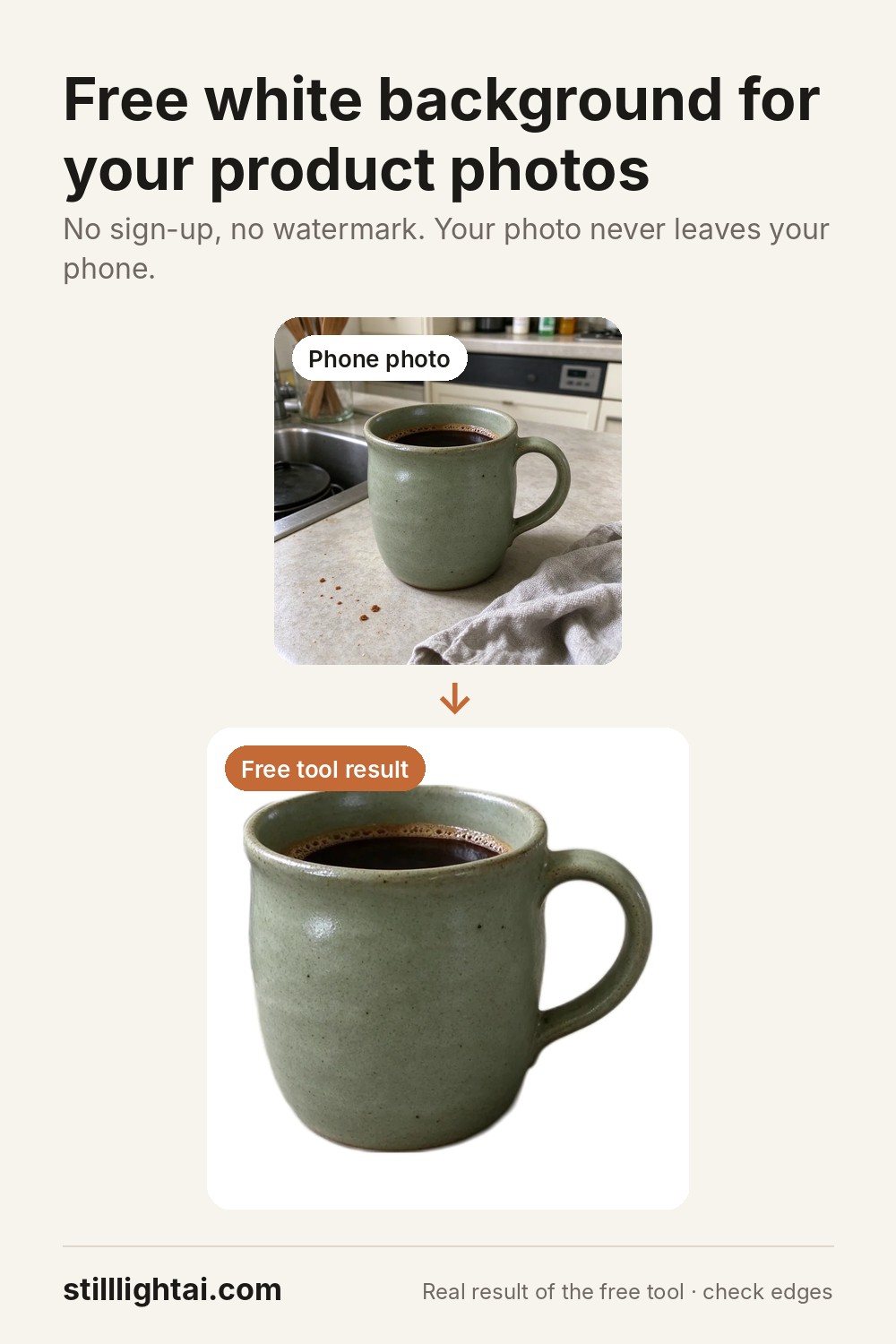
Drop in a phone photo of your product. The background is removed right here in your browser and replaced with pure white (#FFFFFF), centred and sized for your listing.
🔒 Your photo stays on your device. Nothing is uploaded to our servers.
or drag it here, or paste it. JPG, PNG or WebP up to 25 MB.
The background looked busy, so the edges may be off. Thin chains, cables, shadows and clutter confuse this simple remover. Stilllight’s AI editor redraws the whole shot instead, with clean edges and a soft natural shadow.
Try the AI editor (3 free credits)Want more than a white background? Use the same photo to make a lifestyle scene or a holiday setup for the rest of your listing photos.
Make a lifestyle shot (3 free credits)Free remover or AI editor?
This free tool
Cuts the product out of your photo and puts it on white. Great for simple products on a plain table. Keeps your exact photo, including its lighting. Free, unlimited, works offline once loaded.
Stilllight AI editor
Re-renders the shot: even studio light, a soft shadow, clean edges on fine details, plus lifestyle and seasonal scenes. 3 free credits on sign-up, then packs from $4.90. Always check fine print and logos before listing.
Tips for a clean cut-out
- Plain background. A wall, sheet of paper or tabletop with nothing else on it gives the cleanest edges.
- Contrast helps. A dark product on a light surface (or the reverse) separates best.
- Fill the frame. Keep the whole product in view and reasonably large.
- Soft daylight. Near a window, no flash, avoid harsh shadows.
- One product per photo. The remover keeps the main object; extra props may be cut out or left in.
Questions
Is it really free?
Yes. No sign-up, no watermark, no limit. It runs on your own device, so it costs us nothing to offer. The paid part of Stilllight is the AI editor, which you never have to use.
Is my photo uploaded?
No. The background remover is downloaded to your browser (about 10 MB, cached after the first time) and your photo is processed locally. We only count anonymous usage steps such as “cut-out finished” and “downloaded”, with no image data.
Is the background pure white for Amazon?
The background area is pure white (RGB 255, 255, 255). The square option centres your product so it fills about 85% of the frame. Always check your marketplace’s current image rules before publishing.
Can I use the result commercially?
Yes. It is your photo with the background removed, so you can use it in your shop and ads.
Why are some edges rough?
This is a small, fast model. Fine chains, hair, see-through glass and busy backgrounds are hard for it. For those, the AI editor usually does a much better job.
Save this tool for later
Background removal uses the open-source U²-Net model (Apache-2.0) running with ONNX Runtime Web (MIT).