Give your scene, subject, light, and mood in everyday language.
AI product photo studio for online sellers
Product photos that sell, from a phone snapshot.
Upload one phone photo of your product. Get clean white-background, lifestyle and holiday listing photos for Etsy, Shopify and Amazon.
✦ 3 starter credits·No card required·Private image library
01CREATE YOUR IMAGEMake something yours Checking availability
CREATE · 01
Describe your image
Make a matching set
One original image guides the subject, palette, and style. Results can vary.
Choose a format, adjust the instructions below, then press Generate. Each click creates one image and saves it privately. Quality changes the credit cost.
Drop reference images here+Product photoUse up to six images to guide an edit
Your photo goes to our AI provider only to make your image. With the free no-sign-up credits, your image is watermarked until you sign up (free).
No automatic prompt additions. Guided prompt changes are optional and reversible.
0 / 2,400
Choose your model
Credits depend on quality, size, and reference images. Failed generations return the reserved credits automatically.
Listing set from one photo
A clean white main image, a lifestyle scene and a holiday scene from this photo, made together for one listing.
Each image costs the same credits as a single studio image, so a 4-photo set with the fast model uses 8 credits. Failed images return their credits.
Use the same product photo to make matching lifestyle, holiday and promo shots for your listing.
 AI demoLifestyle
 AI demoHoliday
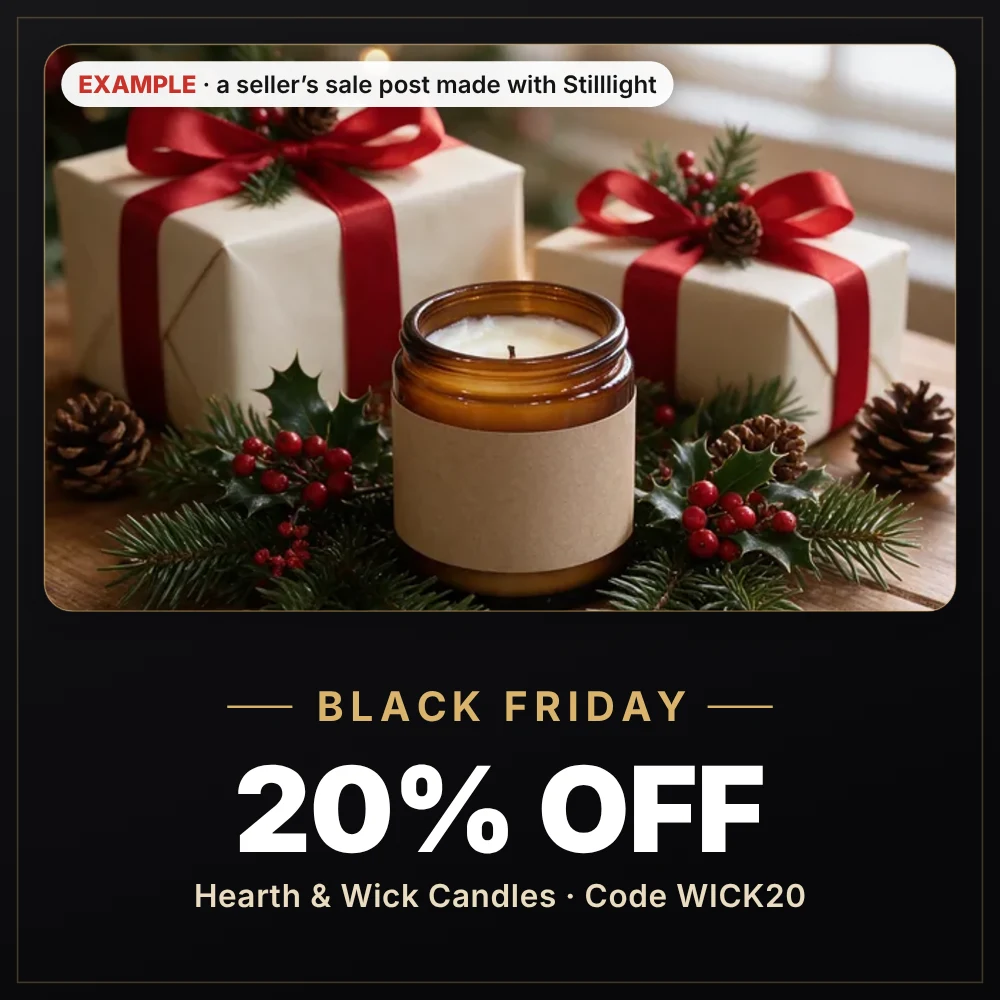 AI demoPromo
AI demo examples, not made from your photo.
Images from free credits are for personal use. Any pack adds commercial use for new images.
Your creations stay in your private library.
Checking image API…
Preview
Payment done. Your credits are ready.
✦
Your imagination goes hereA product shot, a dream landscape, a new perspective. Start with a few words.Create covers, posters, and social visuals
Your listing set
Selling on Etsy? Keep one unedited photo of the real item in each listing; use these as extra photos.
Download all as one ZIP comes with any credit pack. Until then, download each image above.
White main image for marketplaces
CREATE. EDIT. MAKE IT YOURS.
A few useful creative tools.
Coming later: dedicated image upscaling. Explore video creation in the Video studio.
MODEL INFORMATION
Your image model.
STILL
LIGHT
Checking configuration
OpenAI image model
Create from a prompt or use reference images to guide an edit.
▶
A NEW WAY TO CREATE
Let your ideas
move.
Start with words or a reference image. Shape the motion, choose the sound, and keep the result in your private video library.
Text to VideoImage to VideoFirst & last frames
A SIMPLE CREATIVE FLOW
From prompt to polished.
Choose a style, aspect ratio, resolution, quality, and number of variations.
Edit with references, review results, then download or revisit your library.
SIMPLE PRICING
Pay once. No subscription needed.
Start with 3 free credits. When you need more, buy a pack. Pack credits never expire and include commercial use.
Each image uses 2 credits with the fast model, Seedream 5.0 Flash, so a 4-photo listing set uses 8. Any credit pack gets you:
- Commercial use for images you make after buying
- Download whole projects as a ZIP
Welcome Pack
$4.90
60 credits
Your first pack, within 48 hours of sign-up
Creator Pack
$16.90
200 credits
For a whole shop refresh
Studio Pack
$39.90
600 credits
For large catalogs
· Two credits make one image with the fast model.
GOOD TO KNOW
Frequently asked
questions.
Clear answers before you create.
Which image model does Stilllight use?
Choose an available model in the studio. Each model shows its creative strengths, and the credit cost updates before you generate. Saved images keep the model used to create them.
How do credits work?
Credit usage is shown before generation and changes with the model, image quality, output size, and the number of reference images. With the fast model, Seedream 5.0 Flash, an image uses 2 credits and a 4-photo listing set uses 8. Failed generations return the reserved credits.
Can I use generated images commercially?
Yes, once you buy any credit pack (or a Creator or Studio plan): images you make after that can be used in your shop listings, product pages and ads. Images made with the free starter credits are for personal use. Review the image license terms before publishing.
Are my uploaded images public?
Reference images are sent to the configured image provider for processing. They are not displayed in the public inspiration section. Review the privacy policy for storage details.
Can I generate in 4K or upscale an image?
Available resolutions follow your model: Seedream Flash and Pro support up to 2K; Lite, 4.5 and 4.0 also offer native 4K. Explore text-to-video, reference images and first/last frames in the Video studio. Dedicated image upscaling is not connected yet.